Skip to Content

Welcome to SOCR.FLight!

These guides are intended for new pilots ages 12 and up! 

This is a light version of our complete career-readiness curriculum for Grades 6-12. Our products are designed to explore high-paying aviation careers!

Complete Career Curriculum


A

BUILD

Use the instructions below to build your drone from parts.

B

SIMULATE

Practice the basics virtually with a digital twin.

C

FLY

Transition to flying your aircraft safely and legally indoors.

D

FIX

Learn how to troubleshoot and reprogram your drone.

BUILD INSTRUCTIONS

TUTORIAL VIDEO

Follow the simple instructions below as a QuickStart Guide for younger pilots by following along with our assembly video. 


If you want to utilize a real FAA-style technical manual you can print it here: 

Aviation Maintenance Manual (AMM)


ASSEMBLY


In aviation and STEM fields, it is important to follow all steps in the correct order. ​

CAUTION - Screws should only be finger-tight. Do not hold the driver with a fist. Over-tightening can damage aircraft components.

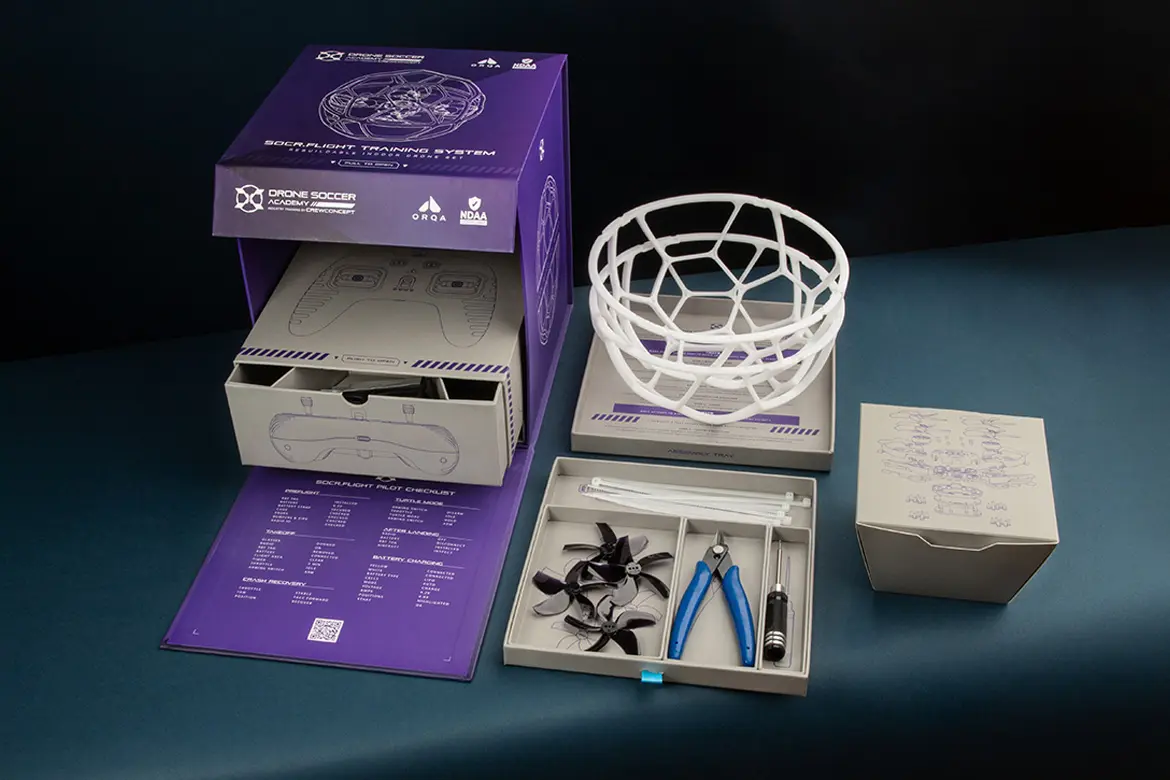
NOTE - Work over the Assembly Tray to avoid losing small parts on the floor. Steps and references are printed there. 
STEP 1 - AIRFRAME


Open the STEP 1 BOX. Assemble according to AMM Chapter 20 STANDARD PRACTICES AIRFRAME, simplified below:

  1. Loop the Battery Strap (1) through the Carbon Fiber Plate (2) cutouts with the velcro on the outside, and rubber grip on the inside. Pull all the way through to the metal fastener.
  2. Apply adhesive Rubber Battery Pad (3) onto Carbon Fiber Plate on the same side as the Battery Strap fastener. Ensure holes are aligned.
  3. Align Lower Canopy (4) with the Electronics Board (5). Thread 8x Hex Screws (12mm) through the Carbon Fiber Plate and Lower Canopy. Secure with 8x Metal Standoffs on the far side of the Electronics Board.
  4. Align the upper canopy and secure with 4mm Hex Screws.
  5. Retrieve 4x Bumpers (7) and 12x Hex Locknuts. Orient the locknuts with the circular nylon side facing up, and press into the three corresponding Bumper indents on each.
  6. Place the bumper on top of each Electronics Board Arm and secure with 7mm Hex Screws from the bottom. 

STEP 2 - BUMPERS


Open the STEP 2 Box. AMM Chapter 54 PYLONS (BUMPERS) simplified below:

  1. Press the lock nuts down into the indents on the bumper, with the flat metal side downward and the circular nylock side visible
  2. Place the bumper on the top side of the electronics board. Thread three 7mm screws through the bottom of the electronics board, and secure into the lock nuts.

STEP 3 - MOTORS

Locate 4x Motors (8) and 16x Hex Screws (7mm). Install by referring to Maintenance Manual (AMM) chapter 70 STANDARD PRACTICES MOTORS, simplified:

  1. Plug the motor into the Flight Controller, ensure the plug is flipped the correct way. 
  2. Hole the motor in place on the bumper, cable facing inward, and secure with four 7mm screws from beneath the electronics board.

STEP 4 - PROPS


Install by referring to the Maintenance Manual (AMM) chapter 60 STANDARD PRACTICES PROPELLERS:

  1. Locate the yellow XT-30 power port which indicates the rear of the aircraft. The forward right propeller spins Clockwise (CW), select the correct CW propeller using references.
  2. Firmly press the propeller down onto the motor’s center post. Ensure the diagonal propeller matches this direction, then install the CCW propellers on the opposite motors.
  3. Insert two 7mm Hex Screws into the top of each propeller. To align the screw with the mounting holes, grip the motor bell with one hand and press down on the screws while rotating the propeller until they click into place. Tighten with the hex driver.

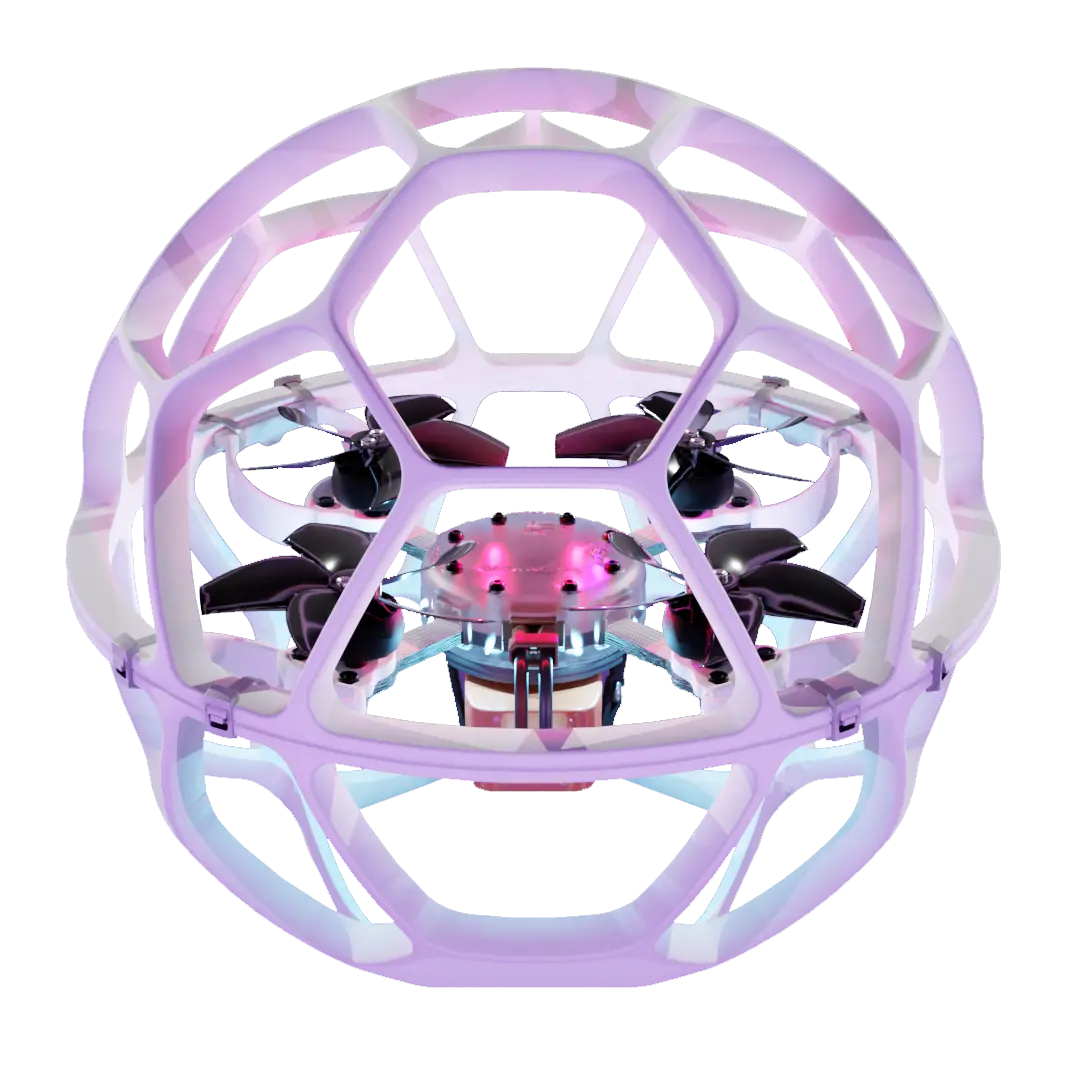
STEP 5 - CAGE

The top half is spherical, and the bottom half is truncated with a larger opening to access the battery. Find the direction indicator and ensure that both halves are aligned and fit snugly around the bumper cutouts: 


  1. Secure with Zip Ties that pass around both halves, and through the bumper. 
  2. Tighten the Zip Tie firmly with the square lock flush against the top or bottom so it does not protrude.  
  3. Use the flush cutters to remove excess plastic length, cutting right against the lock to avoid any sharp points.
SIMULATOR INSTRUCTIONS

FREE NOW ON STEAM!

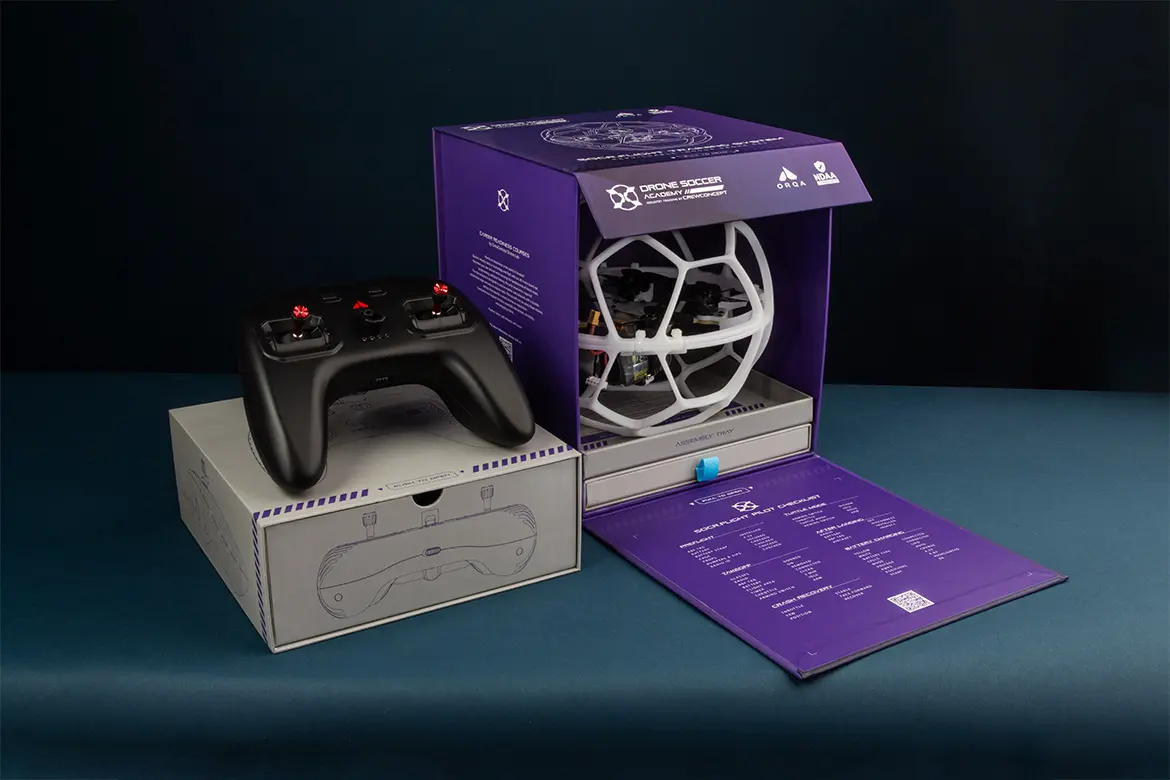
Use your FPV.Ctrl controller with a USBC cable, and learn to fly using the Drone Soccer flight lessons free on FPV.Skydive! Multiplayer league competitions will be available on a standalone version Spring of 2026.

FPV.Skydive on Steam

FLIGHT INSTRUCTIONS

CHARGE A BATTERY

WARNING: LiPo batteries present a fire hazard. Never leave charging batteries unattended. 

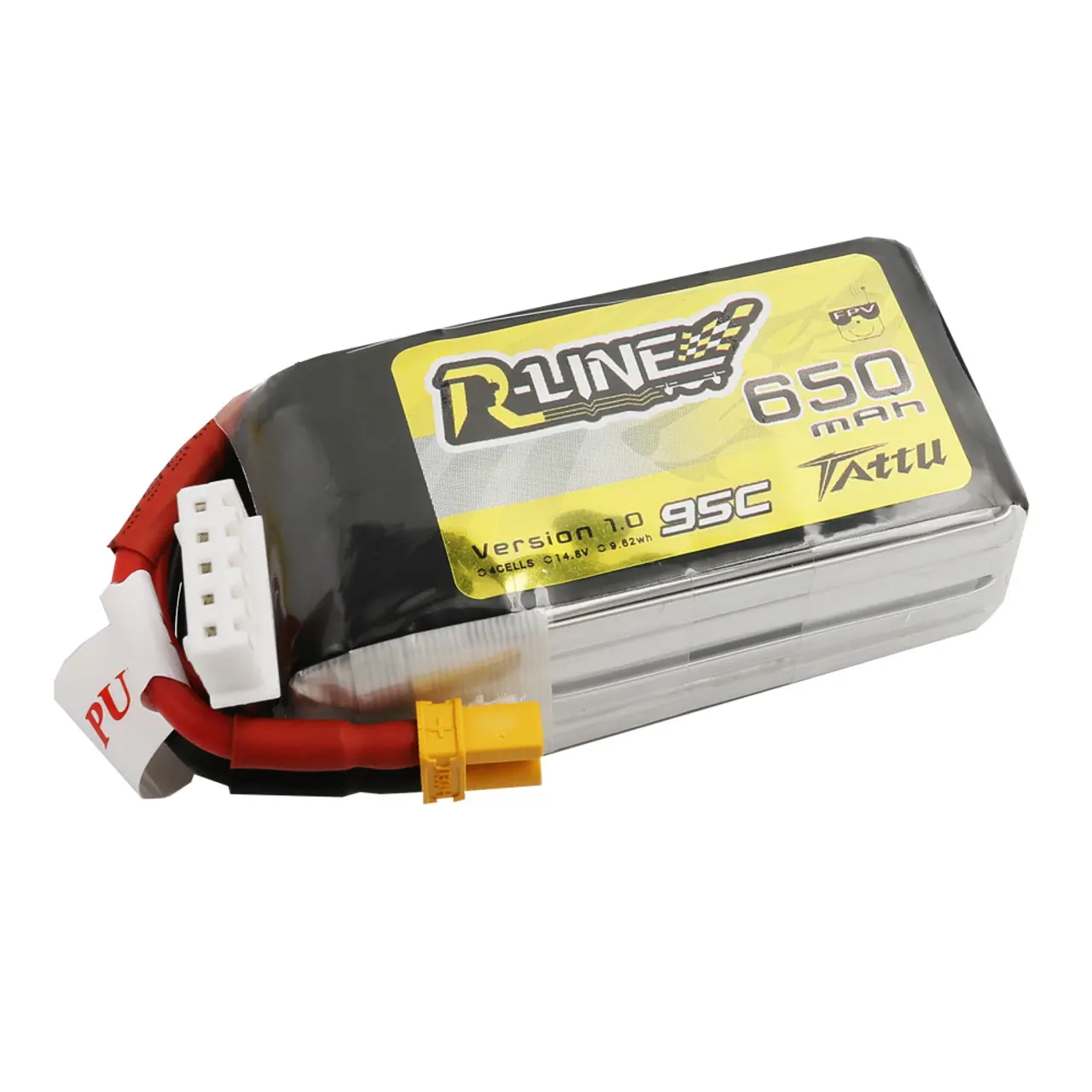
A fully charged battery is 4.2V per cell. Ensure chargers are configured properly with a safe charging Amperage, calculated from battery capacity in Amp-hours. For example, a 850 mAh LiPo battery would require a charging current of 0.85 Amps. Charge time is 10-15 minutes. Store batteries in room temperature at the Storage Voltage of 3.7V (50% charge).

CHARGE & SETUP RADIO CONTROLLER

Charge your FPV.Ctrl radio via USB. If the rear radio antenna is not already installed, unplug and power off the radio. Remove the rear cover and plug the Uberlite TX module into the rear radio bay. Do this carefully and do not bend the gold pins.

BIND YOUR DRONE

Note: Only attempt to bind one

aircraft at a time. 


This connects your radio to your drone's receiver. To begin: 

  1. Plug a charged battery into the aircraft. 
  2. On the rear of the radio controller, press the LED button on the rear. Blue light indicates bind mode. The status lights on the aircraft and radio will turn green/yellow indicating they are connected. 
  3. If the light remains red, perform an update using the FPV.Ctrl App below. 

Perform a Test Flight

CAUTION: This product is for indoor flight only!

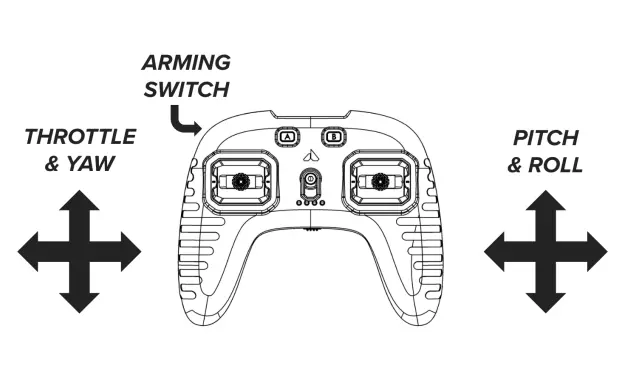
To fly, you must first "Arm" your drone. When armed, the propellers will spin at idle power. There is a safety feature that the left throttle stick must be all the way down at idle before it will arm:

  1. Set a timer for three (3) minutes. This will bring a full battery down to the 50% Storage Voltage. Flying until the battery is dead can permanently damage the battery. 
  2. Bring the left throttle gimbal down to IDLE. 
  3. Press the top left locking push button (it will lock into the armed position).
  4. Once propellers are spinning, slowly raise the throttle stick until your drone is hovering!

Printable Pilot Checklist


REPAIR & TROUBLESHOOTING

Need help?

Troubleshooting

The Radio Bind Button Stays Red

Download the FPV.Control App for iOS or Android. This is how you can configure your radio controller, and is useful to calibrate gimbals. Conduct a controller update by following the prompts.   

Apple App Store Android Google Play

Why won't my aircraft fly?

If the aircraft arms but does not fly, check proper propeller orientation. The thick curved side it the top leading edge of the propeller. They are often put on the wrong motor, or upside down.